
• We'd like to take this opportunity to wish you a Happy Holidays and a very Merry Christmas from all at Golf Monthly. Thank you for sharing your 2025 with us!

Forum switchover should be at 10am tomorrow (wednesday 25th)

Status
Not open for further replies.
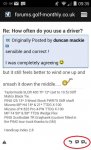
After using the Android Mobile version for a bit now I like it but I would like the reply, quote, multiquote buttons to be made larger or space them out a bit more. Difficult to select the one you want with a finger on a Android Smartphone.
Android.jpg
 
After using the Android Mobile version for a bit now I like it but I would like the reply, quote, multiquote buttons to be made larger or space them out a bit more. Difficult to select the one you want with a finger on a Android Smartphone.

View attachment 13024

Just trying it on my battered HTC and you have to have very small fingers don't you.
 
I don't have those buttons. I only get a button at the bottom of the screen allowing me to reply to the thread - I can't see how I can reply to specific posts.

Can't attach a screenshot either.

Not liking this at all.

Edit: none of the above applies if I switch to Full Site mode. Except the bit about not liking it. That still stands.
 
Last edited:
Not sure if this is another gremlin or not but on my Android smartphone (running KitKat) when I press the arrow as highlighted below it does nothing.

I assume the larger rectangle (highlighted) takes me to the 1st post of that thread and presumably the small rectangle with the arrow in it takes me to the last post page. Is that how it is supposed to be? Like I said on my device tapping the small rectangle does nothing.

Android2.jpg
 
Not sure if this is another gremlin or not but on my Android smartphone (running KitKat) when I press the arrow as highlighted below it does nothing.

I assume the larger rectangle (highlighted) takes me to the 1st post of that thread and presumably the small rectangle with the arrow in it takes me to the last post page. Is that how it is supposed to be? Like I said on my device tapping the small rectangle does nothing.

View attachment 13033

Actually sometimes the arrow buttons work but not always. Very odd.
 
Couple of issues on mobile format....
1. Where are the Smiley's..?
2. I can't see how to quote a previous post.....

Any ideas?

Get to know your smilie shortcuts, as easy as typing text ;)

It's optimized for mobile and desktop

Both work well enough and I can't see the issue with either

Think the mobile version is great and have it on iPhone a ipad.

The desktop also works well enough on I pad also

Not often this happens but agree whole heartedly

Am I right in thinking that when in mobile mode I can't quote a reply?

You can, buttom right but very small.

After using the Android Mobile version for a bit now I like it but I would like the reply, quote, multiquote buttons to be made larger or space them out a bit more. Difficult to select the one you want with a finger on a Android Smartphone.

View attachment 13024

Quote and multi quote buttons are very small, these do need a tweak for sure.

By definition ipad/tablet is a mobile device so the mobile skin would work better than the desktop.

The developers have did a decent job IMO.
 
Sorry Golf Monthly but do not like it! The text box for threads are too small and the banner on the right is in the way !

is there an option to remove the side panel and view the threads/post full width?

i am viewing on my iPad and turning sideways makes no difference

taaa
 
Sorry Golf Monthly but do not like it! The text box for threads are too small and the banner on the right is in the way !

is there an option to remove the side panel and view the threads/post full width?

i am viewing on my iPad and turning sideways makes no difference

taaa

Change the ipad skin to mobile, there should be a drop down tab at the bottom left of the screen
 
OK so while I said it looks great on my mobile;

I can't view polls, There doesn't appear to be a "reply with quote" and how do I get back to the list of posts without going through the drop down menu?

Anyone know?
 
OK so while I said it looks great on my mobile;

I can't view polls, There doesn't appear to be a "reply with quote" and how do I get back to the list of posts without going through the drop down menu?

Anyone know?

Yeah the mobile version is workable but not yet user friendly, found that T&E needed to make it useable
 
Not sure if this is another gremlin or not but on my Android smartphone (running KitKat) when I press the arrow as highlighted below it does nothing.

I assume the larger rectangle (highlighted) takes me to the 1st post of that thread and presumably the small rectangle with the arrow in it takes me to the last post page. Is that how it is supposed to be? Like I said on my device tapping the small rectangle does nothing.

View attachment 13033

In the little time I've played around on my phone, I think the big rectangle (thread title) takes you to the first post, and the arrow on the right takes you to the first one you haven't read.
 
In the little time I've played around on my phone, I think the big rectangle (thread title) takes you to the first post, and the arrow on the right takes you to the first one you haven't read.

Thanks, that kind of makes sense. The arrow button doesnt always work for me though I found - did you find that too?

Maybe it only works on threads that I have posted on before? I have to have a play to see if there is any pattern to it.
 
Thanks, that kind of makes sense. The arrow button doesnt always work for me though I found - did you find that too?

Maybe it only works on threads that I have posted on before? I have to have a play to see if there is any pattern to it.

It worked on the ones I looked at, but I didn't look at a lot. I was only killing a bit of time in a restaurant.
 
Well indeed McBroon. I find myself in the odd position of having to change my mobile to use the full site and my ipad to use the mobile one.

There must be something wrong somewhere :confused:
 
Status
Not open for further replies.
Top