Weather apps

cliveb

Head Pro
Joined
Oct 8, 2012
Messages
3,357
Visit site
Met Office has updated its app and (predictably) made it less useful.
Now looking for an alternative (on Android).
There are loads to try - any recommendations for which ones to put on the shortlist?
(I've used AccuWeather in the past, but that got updated and ruined a few years ago).
 
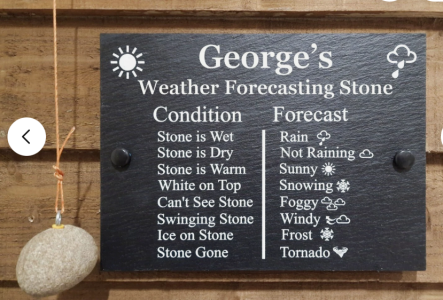
I walk into the garden and if my feet get wet I walk back in, if they don’t I look up, if my face gets wet I walk back in, if it doesn’t I go to the course.

I reckon my accuracy rating is as good as anyone else.
 
Thanks for all the suggestions. I now have a shortlist of apps to try out.

Re. This:

I only use it on Android, but the Met Office website says it's also been updated on iPhone.
Mine (Apple) now looks different but not noticed it being less useful.

I use Met Office and the Apple app. Good rain radar on it.
 
Try clearoutside.com. It's originally for amateur astronomers giving cloud cover, but pretty detailed info for weather detail. I use it and Accuweather then make my own assessment on my seaweed hanging outside the back door.
 
Mine (Apple) now looks different but not noticed it being less useful.
There are two things that are missing from the updated version:
Feels Like Temperature and Wind Gust. In the old app, they were given hourly (or 3-hourly for days beyond tomorrow). The new app gives them for just the next hour (for today), and a single maximum value for every subsequent day. Knowing what these will be like when you're planning a round of golf is very useful.
(Also, my wife has the Met Office widget on her phone. They've changed the colour scheme to be very dark, and she simply cannot read it now. There appears to be no way to change the colours).

It's yet another case of an update prioritising looks over functionality.
 
There are two things that are missing from the updated version:
Feels Like Temperature and Wind Gust. In the old app, they were given hourly (or 3-hourly for days beyond tomorrow). The new app gives them for just the next hour (for today), and a single maximum value for every subsequent day. Knowing what these will be like when you're planning a round of golf is very useful.
(Also, my wife has the Met Office widget on her phone. They've changed the colour scheme to be very dark, and she simply cannot read it now. There appears to be no way to change the colours).

It's yet another case of an update prioritising looks over functionality.
Scroll down and click on "Wind: daily overview ->" or down further and click on "Temperature ->".

Granted it's annoying they're no longer all on the main screen, but that is where they are now anyway. Rather than being removed completely.
 
Scroll down and click on "Wind: daily overview ->" or down further and click on "Temperature ->".

Granted it's annoying they're no longer all on the main screen, but that is where they are now anyway. Rather than being removed completely.
Thanks, found it.
But crikey what a faff. In the old app you could just scroll through how cold and windy it was going to be for the days ahead on a single screen.
Now you have to go into a separate details screen for wind and then click again to advance each day. And then repeat the whole rigmarole for temperature.
Apparently this is progress according to the Met Office.
 
Top